RecommendedGame Grub Choice eGift Card Giftcards. com
Give a gift of games and grub to the good guy or gal in your life. Food and fun is a winning combo that fits everyone on your list. Exchange this GAME & GRUB One4all Favorites Gift Card at redeem.giftcards.com for a choice of eGift(s) to spend at one or more of these brands: Xbox, Buffalo Wild Wings, Grubhub, Domino's, GameStop.
Affiliate Disclosure: We may earn a commission from qualifying purchases made through these links, at no extra cost to you.
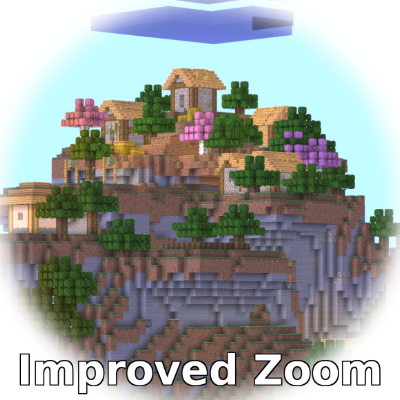
Improved Zoom adds a player-controlled zoom system to Minecraft Bedrock so distant terrain, builds, mobs, and players are easier to inspect without permanently changing the normal field of view. Each player controls their own zoom settings, making the add-on useful in both single-player worlds and multiplayer communities where different players prefer different viewing options.
The zoom is activated through a triple-crouch action. Crouch three times at a steady pace and remain crouched on the third input to zoom in. Stand again to return to the normal view. This keeps the feature available during ordinary gameplay without requiring a permanent HUD button.
Individual Player Settings
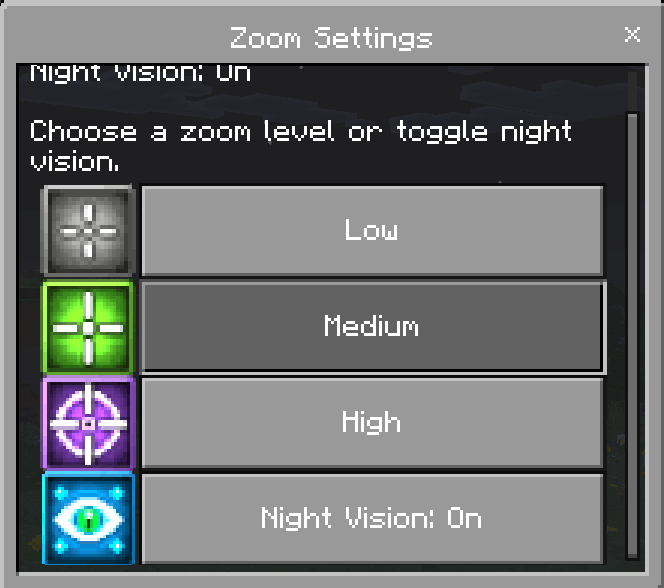
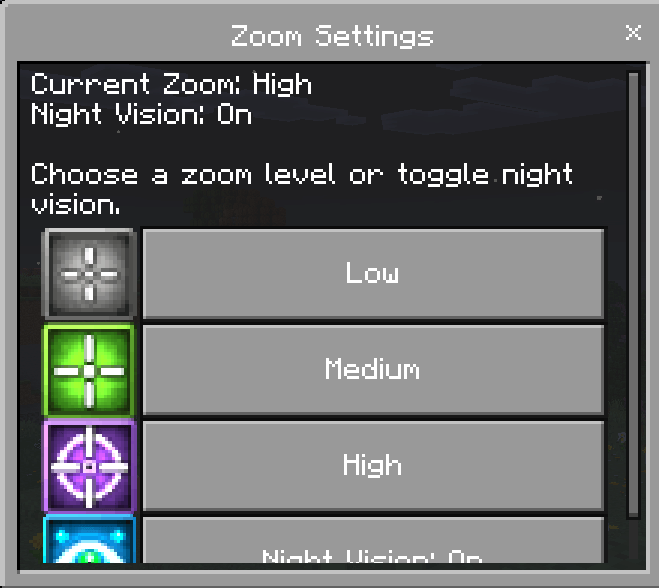
Every player receives a personal configuration with Low, Medium, or High zoom strength, optional night vision, and a master setting that can turn the zoom feature on or off. The choices are stored separately, so one player can use a stronger zoom while another chooses a lighter setting or disables zoom entirely.
Settings can be changed while zoom is active, allowing players to compare zoom levels immediately instead of repeatedly leaving the menu and starting over.
Zoom Settings Item
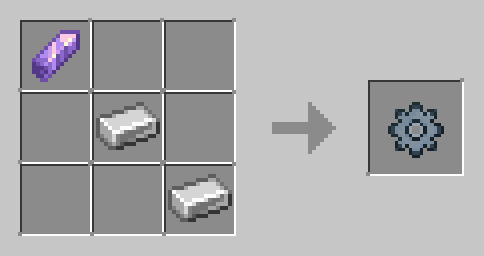
The Zoom Settings item provides access to the configuration menu and is set to remain with the player after death. If another copy is needed, players can craft one using 1 Amethyst Shard and 2 Iron Ingots. Custom menu icons help make the available settings easy to recognize.
Useful During Exploration and Building
Scout terrain before traveling across a large area.
Look for structures, landmarks, mobs, or other players in the distance.
Inspect large builds from a better viewing distance.
Watch an area from a tower, wall, or base.
Use optional night vision when visibility is poor.
Give each multiplayer user control over their own preferred zoom strength.
Installation
Activate both the Behavior Pack and Resource Pack on the world before entering. Improved Zoom is intended for Survival, Creative, Realms, multiplayer worlds, and Bedrock Dedicated Servers. No experimental Beta API is required for normal use.
Achievements and Compatibility
Improved Zoom is designed to work without requiring cheats or experimental Beta APIs. Under current tested Minecraft Bedrock behavior, achievements can remain available while the add-on is active.
Compatibility note: Achievement eligibility is controlled by Minecraft rather than by this website or add-on. Mojang can change add-on behavior in later Bedrock releases, so back up important worlds before installing or updating. A future Minecraft update could affect achievement compatibility.
Changelog
Changelog v1.0.5
Fixed an issue where new players might not receive the **Zoom Settings item** when joining.
Improved the automatic item-give system for better reliability.
Prevented duplicate Zoom Settings items from being given on rejoin.
Players who lose the item can still craft a replacement.
**Sorry for missing this issue in the previous update. It has now been corrected.**
Changelog v1.0.4
Currently supports Minecraft Bedrock 1.26.30. and above.
Updated minimum Minecraft Bedrock version to **1.26.30**
Updated to the current stable Minecraft Script API
Updated `@minecraft/server` to **2.8.0**
Updated `@minecraft/server-ui` to **2.1.0**
Added **PBR / Vibrant Visuals compatibility** to the Resource Pack manifest
Improved compatibility with current Minecraft Bedrock releases
No changes were made to the existing zoom controls or functionality