RecommendedGame Grub Choice eGift Card Giftcards. com
Give a gift of games and grub to the good guy or gal in your life. Food and fun is a winning combo that fits everyone on your list. Exchange this GAME & GRUB One4all Favorites Gift Card at redeem.giftcards.com for a choice of eGift(s) to spend at one or more of these brands: Xbox, Buffalo Wild Wings, Grubhub, Domino's, GameStop.
Affiliate Disclosure: We may earn a commission from qualifying purchases made through these links, at no extra cost to you.
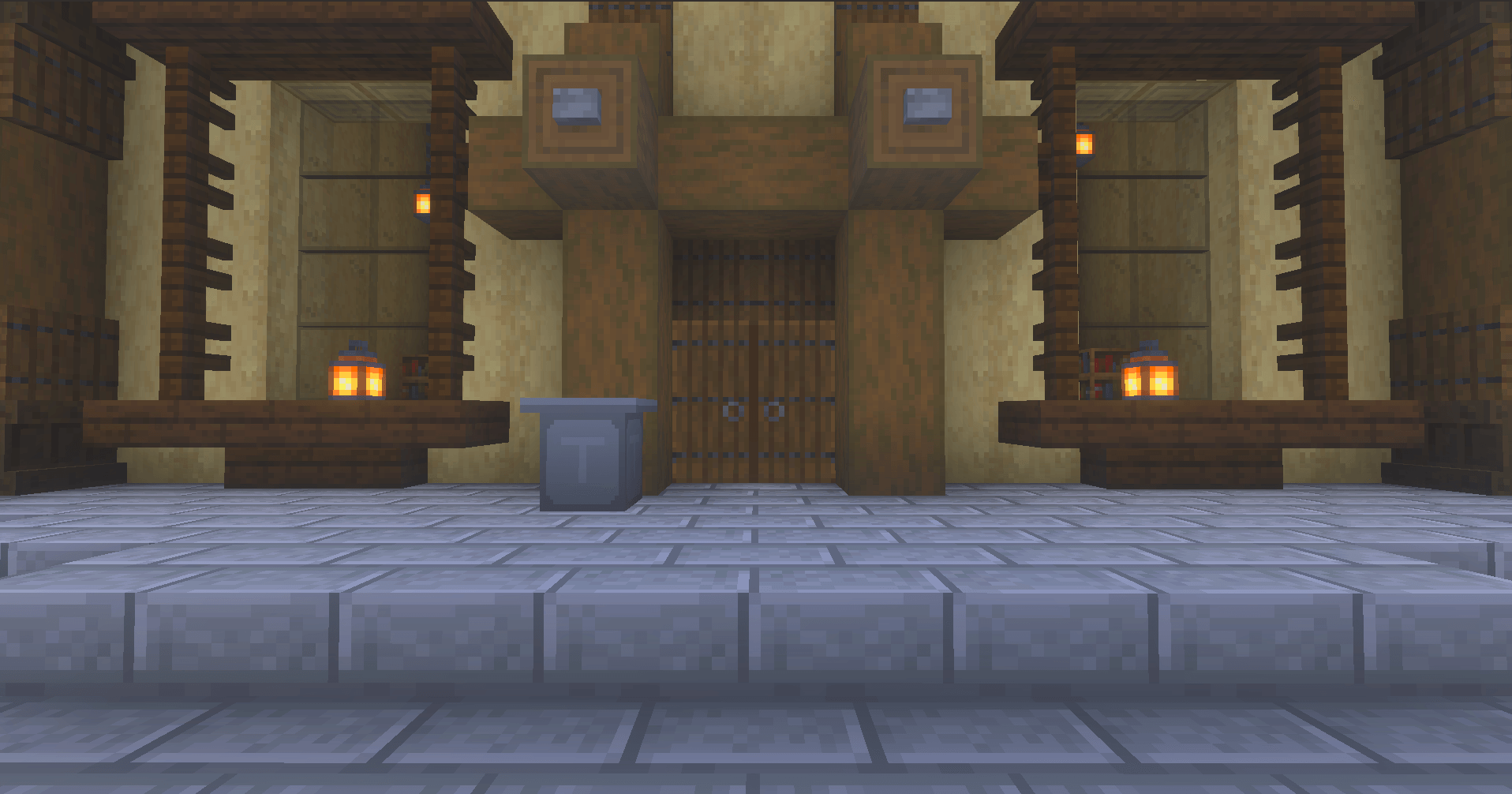
Give unwanted items a dedicated place to go. The Trash Can is a placeable container for clearing out spare blocks and other inventory clutter in Minecraft Bedrock. Items inside are removed on a repeating disposal cycle.
What it adds
A custom container with 27 inventory slots and a familiar chest-style interface.
Contents are cleared on a 10-second cycle, leaving a brief chance to retrieve something before it is discarded.
Trash Cans can be placed in the Overworld, Nether, and End, with more than one available in a world.
Anything left inside is lost if the block is broken.
Crafting recipe
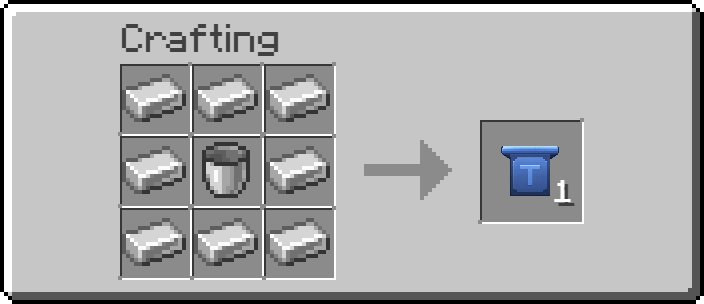
Make one Trash Can at a crafting table with a Bucket in the center slot and Iron Ingots in the eight surrounding slots.
Using the Trash Can
Place the block and interact with it to open its inventory. Move items you want to discard into the container. The next disposal cycle removes its contents automatically, so take anything back out before that happens if you want to keep it.
Use care: disposal is permanent, including items still inside when the Trash Can is broken. Check the contents before closing it.
Compatibility and achievements
The CurseForge listing identifies Minecraft Bedrock versions 26.30, 26.40, and 26.50, and describes the add-on as achievement-friendly. Minecraft updates can affect add-on compatibility or achievement behavior, so check it again after major game updates.
Installation
Download the .mcaddon file from CurseForge using the button on this page.
Open the downloaded file to import it into Minecraft Bedrock.
In your world settings, enable the imported Trash Can pack or packs. If Minecraft lists both Behavior and Resource Packs, enable both.
Load the world and craft the Trash Can with the recipe above.